Introducing Tavallio: AI That Actually Does Things
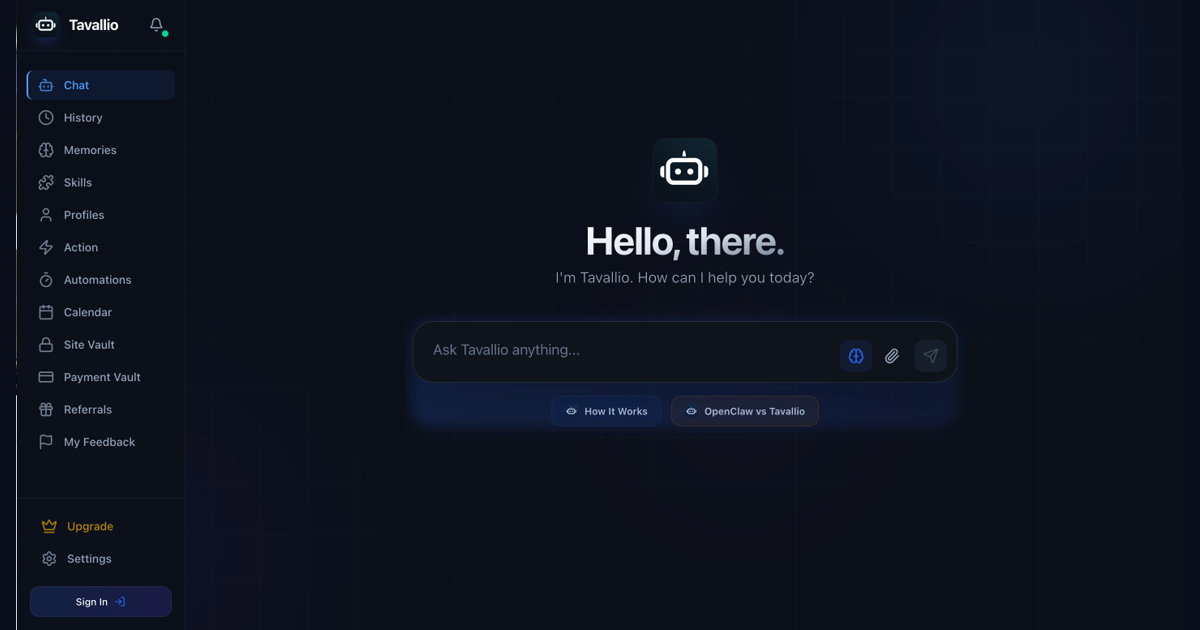
Meet Tavallio, the AI assistant for email, calendar, browser tasks, documents, payments, and everyday work across connected tools.
Most AI assistants still stop too early.
They can draft the email, but they do not send it. They can suggest a meeting time, but they do not create the event. They can explain what to do in Stripe, Gmail, Google Calendar, Notion, or a browser, but the human still has to tab around, copy the answer, paste it into the right place, and hope nothing got missed.
Tavallio exists for the work after the answer.
It is an AI assistant that connects to the tools you already use, understands what you want in normal language, and helps carry the task through to a finished result. That might mean sending a follow-up email, checking your calendar before booking something, creating a spreadsheet, researching a website, preparing an invoice, or setting up an automation that runs again later.
The goal is simple: you should be able to ask for an outcome, not build a workflow from scratch.
What Tavallio is
Tavallio is a cloud AI assistant for people who want one place to coordinate their work across email, calendar, browser tasks, documents, payments, spreadsheets, messaging, and other connected services.
It is not just a chat window with nicer wording. Chat is the control surface, but the product is built around execution:
- Connected accounts and integrations for tools like Gmail, Google Calendar, Stripe, Slack, Notion, spreadsheets, and more.
- Browser automation for tasks that live on websites instead of clean APIs.
- Actions and playbooks so useful workflows can be run again later.
- Automations for recurring jobs.
- Memory, profiles, files, and context so the assistant can work with the right information.
- Approval steps for sensitive actions like sending, purchasing, deleting, moving money, or changing account data.
That last part matters. An assistant that can act needs stronger boundaries than an assistant that only writes. Tavallio is designed to pause before sensitive steps, show what it is about to do, and let you keep control.
Why we built it
Work has become a pile of tiny handoffs.
You check an email, update a sheet, find a date, copy a link, open Stripe, write a reply, search a website, move a file, create a calendar event, then do almost the same thing again tomorrow. None of those tasks are individually huge. Together, they eat the day.
Traditional automation tools help, but they often require you to think like a workflow builder. You choose a trigger, choose an action, map fields, test edge cases, and maintain the automation when a service changes. That is powerful for teams with technical operators. It is not always what a founder, freelancer, creator, or busy team member wants when the task is obvious in plain English.
Tavallio takes a different path. You describe the result. The assistant chooses the route.
For example:
- “Summarise my unread emails from today and draft replies for anything urgent.”
- “Find a time next week for a 30-minute call with Maya and send a polite invite.”
- “Create a client invoice from this project summary and remind me if it is unpaid next week.”
- “Research five competitors and put the key differences into a table.”
- “Every weekday morning, give me a calendar brief and flag anything that needs prep.”
Some of those tasks use APIs. Some use the browser. Some need your confirmation before they finish. The important thing is that the user does not have to start by choosing the machinery.
How it works
Tavallio starts with the request. You type or speak what you want done, attach context if needed, and connect the relevant tool when the task needs account access.
From there, the assistant plans the path:
- It decides whether the job needs general reasoning, a connected account, a saved action, a browser session, or a scheduled automation.
- It gathers the minimum context needed for the task.
- It prepares the work and asks for confirmation where the action is sensitive.
- It executes the approved steps and reports back with the result.
- If the job is reusable, you can turn it into an action, playbook, or automation.
That means a one-off request can become a reusable workflow without you designing a workflow from a blank canvas. If you like how Tavallio handled a client follow-up, a weekly report, or a calendar brief, you can keep that pattern.
What you can automate first
The best first tasks are the ones you already understand but do not want to keep doing by hand.
Email is a natural starting point. Tavallio can help read, search, draft, send, label, and summarize messages when the right email account is connected. That makes it useful for follow-ups, customer replies, invoice nudges, recruiting threads, and daily inbox triage.
Calendar work is another strong fit. You can ask Tavallio what your week looks like, create an event, move an appointment, block focus time, or prepare a meeting invite. The assistant checks context before changing the calendar, instead of asking you to jump into a scheduling tool.
Browser automation covers jobs that do not have a clean integration. Tavallio can open a real browser, navigate websites, fill forms, compare information, extract data, and return the result. Final purchases, submissions, and sensitive changes remain approval-first.
Spreadsheets and documents are useful when the output needs structure. Tavallio can help create trackers, summarize data, draft documents, and prepare reports from messy inputs.
Payments and admin workflows are where the time savings compound. Checking invoice status, preparing reminders, creating billing records, and reconciling simple admin tasks are exactly the kind of work that feels small until it repeats every week.
What makes Tavallio different
Tavallio is built for users who want a working assistant, not a toolkit they have to assemble.
There are three principles behind that.
First, the assistant should work across tools. Most people do not have one productivity problem. They have one email problem, one calendar problem, one spreadsheet problem, one billing problem, and one browser problem, all tangled together. Tavallio is meant to sit above those tools and coordinate them.
Second, the assistant should know when not to act. If a task changes money, sends a message, alters a record, books something, deletes data, or touches a sensitive account, Tavallio should slow down and ask. Speed is only useful when the user still trusts the result.
Third, the assistant should make repeat work easier over time. A good result should not disappear after one chat. It should become a saved action, a reusable playbook, or an automation that runs when you need it.
Who Tavallio is for
Tavallio is for people and small teams who live in tools all day but do not want to become automation engineers.
It fits founders who need help with admin, support, scheduling, finance, and research. It fits freelancers who want to protect billable time. It fits sales and support teams that need faster follow-up without losing context. It fits operators who want recurring workflows without building everything manually.
It is also useful for people who have tried generic chatbots and bounced off the same limitation: the answer was fine, but the work was still theirs.
Getting started
You can start with lightweight chat for free. Paid plans unlock connected tools, actions, automations, memory, browser tasks, and larger workflows. The first useful prompt is usually something ordinary:
“Look at my day, summarize what matters, and help me prepare for the first meeting.”
Or:
“Draft a follow-up to this client, check my calendar for a good time next week, and prepare the invite.”
That is the shape of Tavallio: one assistant, one request, multiple tools, a finished outcome.
Put it into practice
Give Tavallio the outcome, not another workflow to build.
Start with a real task from your day. Tavallio can plan the work, use connected tools, and pause before sensitive actions.
Try Tavallio